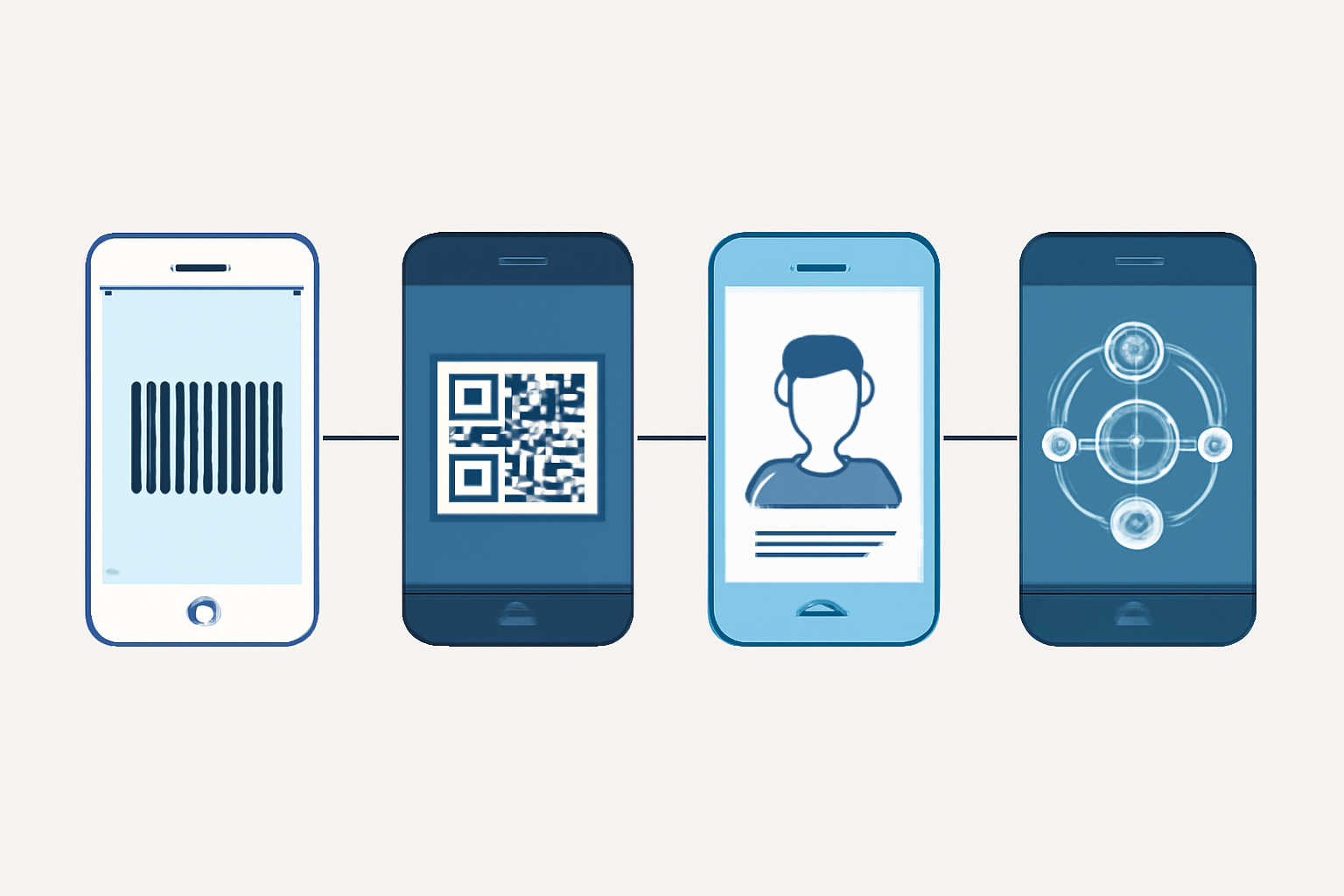
The Evolution of Barcode Scanning on Smartphones: From UPC to Digital Identity
When you point your smartphone camera at a QR code to activate an eSIM or scan a product barcode in a store, you’re using technology that evolved from rudimentary laser scanners into sophisticated imaging systems capable of managing digital identity. This transformation required fundamental advances in camera hardware, image processing algorithms, and the barcode standards themselves to enable today’s instant code recognition and virtual service provisioning.
Early Mobile Barcode Cutting Implementation and Standards
The first mobile phone with integrated barcode scanning capability appeared in Japan around 2002, when J-Phone (later Vodafone Japan) released devices that could read QR codes. These early implementations struggled with what we’d consider basic tasks today. The camera resolution hovered around 0.3 megapixels, autofocus didn’t exist, and lighting conditions had to be nearly perfect for a successful scan.
Early mobile scanning focused on 1D linear barcodes like UPC and Code 128, which were already established retail standards. The challenge was adapting these codes—designed for dedicated laser scanners with controlled reading angles—to camera-based capture. Linear barcodes require the scanner to cross all bars in a single pass, which works perfectly for a moving laser beam but creates problems for a static camera image where perspective distortion and uneven lighting can render codes unreadable.
QR codes solved this fundamental problem through 2D matrix encoding. Developed by Denso Wave in 1994 and standardized as ISO/IEC 18004, QR codes include position detection patterns in three corners that allow scanning from any angle. This omnidirectional readability made QR codes ideal for camera capture—no need to align your phone precisely parallel to the code surface.
The technical breakthrough came when mobile processors gained enough power to perform real-time image analysis. Early scanning required users to capture a photo, then wait several seconds while the app processed the image. By 2007-2008, continuous scanning became possible, where the camera feed was analyzed frame-by-frame until a valid code was detected.
Camera Hardware Advances Enabling Real-Time Code Recognition
Modern smartphone cameras bear little resemblance to their 2002 predecessors. Three hardware improvements directly enabled today’s sophisticated scanning capabilities: sensor resolution, autofocus systems, and computational photography.
Sensor resolution crossed a critical threshold around 2010 when phones reached 5+ megapixels. This wasn’t about taking better photos—it meant that a barcode occupying just 10% of the frame still provided enough pixels for reliable decoding. A Code 128 barcode with 0.010-inch narrow bars, scanned from 6 inches away, requires approximately 8-10 pixels per narrow element for consistent reading. At 5 megapixels (2592 x 1944), this becomes achievable even with significant perspective distortion.
Autofocus changed everything. Phase-detection autofocus (PDAF), introduced in smartphones around 2014, focuses in under 0.3 seconds compared to 1-2 seconds for contrast-detection systems. For barcode scanning, this eliminates the frustrating “hold steady… still focusing…” experience. Modern dual-pixel autofocus and laser-assisted systems can lock focus on a code within 100 milliseconds.
Most people don’t realize that today’s smartphone scanning doesn’t just rely on the camera sensor. The image signal processor (ISP) applies real-time adjustments before the scanning software ever sees the image. These include:
- Automatic exposure compensation to handle backlighting
- Edge enhancement to sharpen bar/space boundaries
- Noise reduction for low-light scanning
- Barrel distortion correction for wide-angle lenses
The iPhone 12 and later models include dedicated neural engines that can pre-process camera frames for code detection at 60+ fps while consuming minimal battery power. The scanning algorithm receives a pre-optimized image rather than raw sensor data, which explains why modern phones can read damaged or poorly printed codes that would stump older devices.
QR Codes as Digital Identity Carriers and Activation Tools
QR codes evolved beyond simple URL carriers into secure identity containers. According to ISO/IEC 18004, QR codes support up to 4,296 alphanumeric characters in version 40, but practical implementations for identity use cases typically stay under 1,000 characters to maintain quick scanning at normal phone distances.
The structure of a QR code identity payload follows specific patterns. For mobile identity applications, the data typically includes:
- Service identifier (network operator or platform)
- Activation token (cryptographic string)
- Routing information (server endpoints)
- Expiration timestamp
- Checksum validation
This differs significantly from simple URL encoding. A identity-carrying QR code for eSIM virtual numbers contains encrypted provisioning data rather than just a web link. The mobile device’s operating system intercepts these codes before any browser ever launches.
Modern identity QR codes implement error correction at Level H (30% recovery), the highest specified in the standard. This allows roughly one-third of the code to be damaged or obscured while remaining readable—critical when codes are displayed on cracked phone screens, photographed through glass, or transmitted via compressed images.
The security architecture matters here. A properly implemented identity QR code is single-use, time-limited, and cryptographically signed. The scanning device validates the signature against a certificate chain before processing the payload. This prevents the “screenshot and share” vulnerability that plagued early QR implementations.
Mobile Provisioning Through Scannable Codes for eSIM Services
The GSMA SGP.22 specification defines how eSIM provisioning works through QR code activation. When you scan an eSIM activation code, you’re not downloading the SIM profile directly—the QR contains an SM-DP+ (Subscription Manager Data Preparation) server address and matching ID.
The technical flow looks like this:
- User scans LPA (Local Profile Assistant) activation code
- Device extracts SM-DP+ address and activation token
- eUICC initiates TLS connection to SM-DP+ server
- Mutual authentication using eUICC certificates
- Encrypted profile download over TLS
- Profile installation and activation
The QR code itself typically contains 200-400 characters formatted as: LPA:1$SM-DP+ ADDRESS$MATCHING_ID. That dollar sign delimiter is specified in the standard—not elegant, but it works. Industry data shows the entire process completes in 15-30 seconds on modern devices with good connectivity.
What most implementations get wrong is error handling. The standard mandates specific error codes for different failure scenarios, but many carrier provisioning apps show generic “activation failed” messages. A properly implemented system distinguishes between network issues, invalid tokens, expired codes, and device incompatibility.
The QR format for eSIM activation represents a middle ground between security and usability. More secure methods exist—physical SIM cards have better tamper resistance—but they sacrifice the instant provisioning that makes eSIM valuable. Email-delivered activation codes are more convenient but vulnerable to interception.
Smartphone Scanning Use Cases for Virtual Number Activation
Virtual phone number services take advantage of QR scanning for instant service activation, but the implementation varies significantly from eSIM provisioning. These services typically operate at the application layer rather than the network layer, which changes the security and deployment model.
When you scan a QR code to activate a virtual number, three common architectures exist:
VoIP Client Provisioning: The QR contains SIP credentials (username, password, server address, port) that configure a softphone application. The credentials may be plain text or encrypted depending on implementation quality. This approach works across any data connection but requires a dedicated app.
WebRTC Session Establishment: The QR encodes a session token that the web browser uses to establish a WebRTC connection to the service provider’s media server. This enables web-based calling without installing anything, though browser permission handling can frustrate users.
STIR/SHAKEN Token Delivery: For services offering verified caller ID through STIR/SHAKEN protocols, the QR delivers attestation tokens that prove calling number ownership.
The most reliable implementations combine QR scanning with device fingerprinting. After initial QR activation, the service binds to the device’s secure enclave (TPM on Android, Secure Enclave on iOS), preventing credential theft through simple code duplication. This is critical for compliance with telecommunications regulations that require number-to-user accountability.
Multi-device identity management represents the next challenge. Users expect to scan once and activate services across multiple devices—smartphone, tablet, desktop browser. Current implementations typically require scanning on each device separately, but emerging standards around WebAuthn and FIDO2 enable single-scan, multi-device provisioning through cryptographic credential synchronization.
The practical difference between eSIM QR codes and virtual number activation codes comes down to trust boundaries. eSIM profiles include carrier-signed certificates validated against root CA certificates built into device firmware. Virtual number services rely on application-level trust, which is why they can be deployed without carrier involvement but lack the same regulatory standing as traditional phone numbers.
Frequently Asked Questions
Q: Can older smartphones scan modern QR codes for eSIM activation?
No, eSIM support requires specific hardware (eUICC chip) and OS support, typically iOS 12.1+ or Android 9+. Even if an older phone can scan the QR code visually, it cannot process the provisioning payload without the eUICC and compatible LPA software. The camera capability isn’t the limiting factor—it’s the secure element and platform support. Some carriers offer alternative activation via their apps, but these still require compatible hardware for profile installation.
Q: Why do some virtual number services use manual code entry instead of QR scanning?
Manual entry persists for three reasons: broader device compatibility (works on any phone), support for activation across different devices (you can read a code on phone A and enter on phone B), and compliance requirements (some jurisdictions mandate written records of activation credentials). QR scanning is faster but creates single-device lock-in unless the service implements multi-device synchronization, which adds complexity and cost.
Q: How accurate is smartphone scanning compared to dedicated barcode readers?
Modern smartphones achieve 95-98% first-scan read rates with QR codes under good conditions, compared to 99.9%+ for dedicated scanners reading linear barcodes. The gap exists because smartphones use camera-based imaging (affected by lighting, focus, hand shake) while dedicated readers use laser or optimized imaging systems. For warehouse operations scanning thousands of codes daily, dedicated readers remain superior. For consumer activation use cases involving one or two scans, smartphone cameras are more than adequate.
Related Articles
- 2-Dimensional Bar Code Page - Specs & Standards Guide
Complete technical guide to 2D barcodes including QR Code, Data Matrix, and PDF417 specifications, implementation requirements, and practical use cases for supp
- BarCode 1 - Comprehensive Barcode Information Resources
BarCode 1 provides technical specifications, standards documentation, vendor directories, and developer tools for barcode implementation. Access symbology specs
- A Short History of Bar Code - From Invention to Today
The first barcode patent was issued in 1952 to Norman Joseph Woodland and Bernard Silver. Learn about the 20-year journey from beach-sand sketches to the first
- UPC and EAN Bar Code Guide - Implementation & Conversion
Learn the key differences between UPC and EAN barcodes, including format structures, conversion methods, and implementation requirements for retail products wor
- Code 128 Barcode - High Density Alphanumeric Standard
Code 128 barcode technical guide: character sets A/B/C, function codes, implementation examples, and why it encodes 37% more efficiently than alternatives in sh